Native for Mac and iPad
The self-hosted stack you run, finally native.
Movies, series, music, downloads and requests in one app. It talks straight to your own servers, with no account in between.
Follow along on Reddit and Discord for news and the release date.
Tap a service to see what you can do with it
Made formacOSiPadOS
Neutral marks for now. Official logos only after each project says yes.
Every service does something different
Each one has its own page with what you can do, not the same pitch six times.
Request it. Find it. Download it. Watch it.
Your services already work as a pipeline. MediAmi is the one native app that shows the whole thing.
Ask for it from the same app
Browse what is out there and request it, then follow the status without opening another app.
- Browse and request
- Follow each request
- Works with Overseerr and Jellyseerr
Movies, series and music, organized
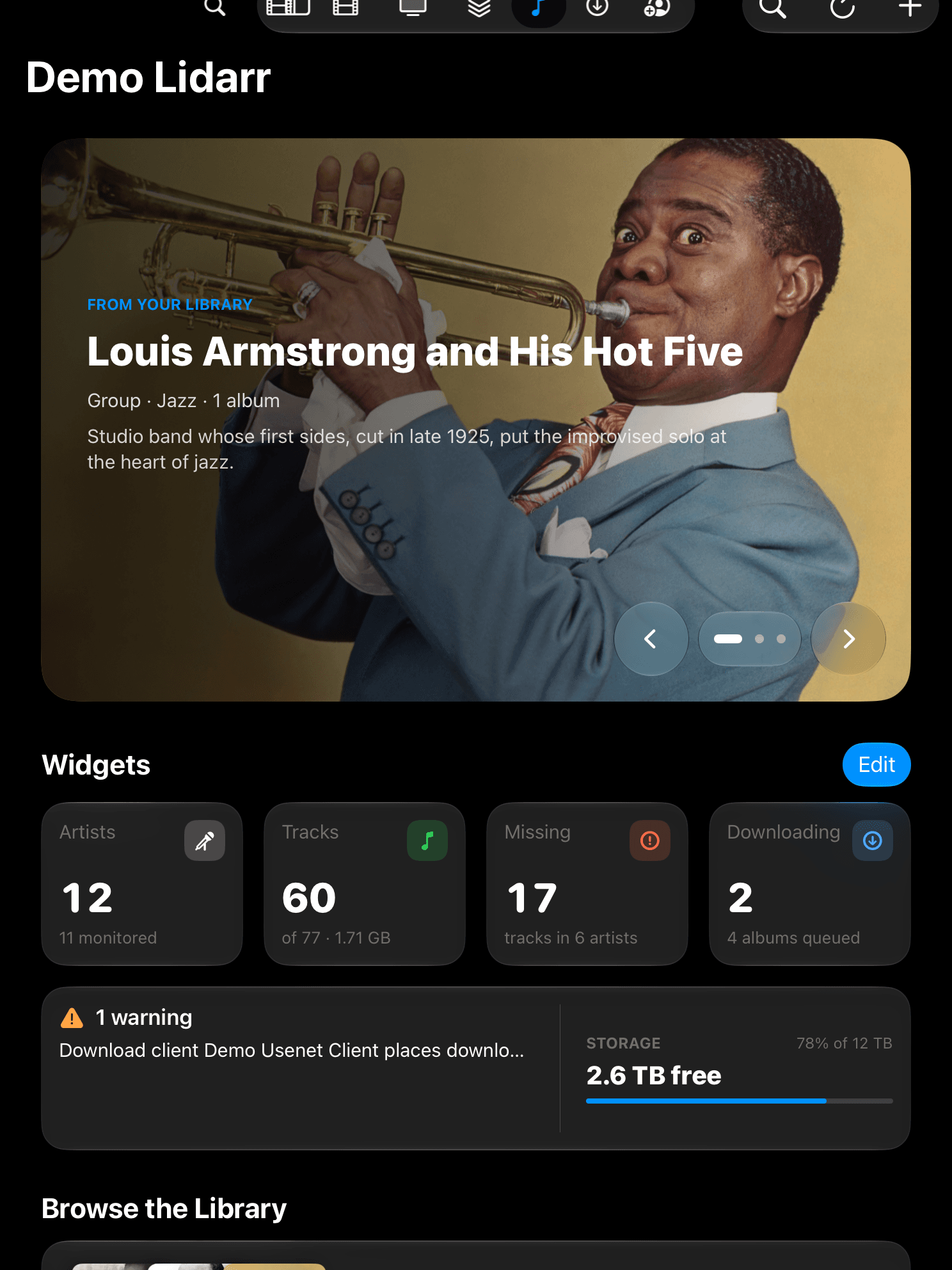
Your libraries in one place: search, add, monitor and see what is still missing.
- Search and add titles
- Missing and wanted lists
- Monitoring in a tap
Watch it arrive
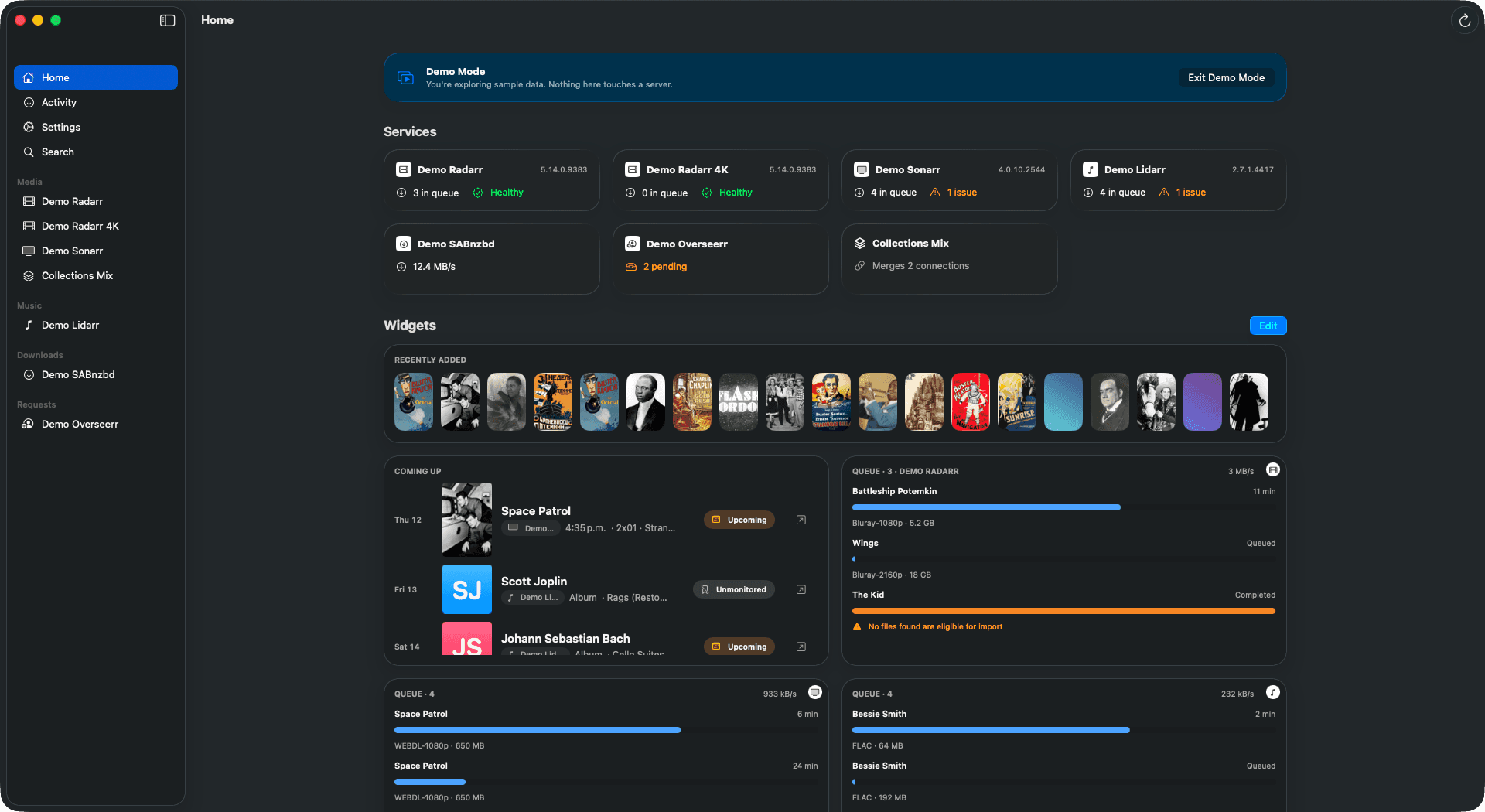
The queue, the speed and the history sit next to the libraries that asked for them.
- Live queue and speed
- History of finished items
- One activity view across connections
Know what is ready
A dashboard of widgets shows what is new, what is coming up and how your servers are doing.
- Customizable widget grid
- Calendar of what is coming
- Storage and health
See it in action
Tap a screenshot to enlarge it, then move through them.
How it works
- 01
Add your servers
Enter the address and API key of each service you run. They stay on your device, in the system Keychain.
- 02
Everything talks directly
The app connects from your Mac or iPad to your own services. There is no MediAmi server in between.
- 03
Nothing to sign up for
No account, no analytics, no ads. Try Demo Mode first if you want to look around.
What you need
- Mac
- macOS 26 or later
- iPad
- iPadOS 26 or later
- Services
- Your own Radarr, Sonarr, Lidarr, SABnzbd, Overseerr or Jellyseerr
No server yet? Demo Mode runs the whole app on sample data.
Questions before you install
Do I need an account?
No. There is no MediAmi account, no login and no server of ours in between. You add the address and API key of each of your own services and that is it.
Does it work away from home?
Yes, wherever the app can reach your server. MediAmi talks straight to the address you enter, so away from home that means a VPN into your network or an address you already expose, such as a reverse proxy. We run no relay.
Where are my API keys stored?
On your device, in the system Keychain. A key is sent only to the server it belongs to, in a request header, and never to us.
Why does it ask for Local Network access?
So the app can reach servers on your home network, such as a Radarr at a local address. It only contacts the addresses you type in.
Can I use plain http, or do I need https?
Both work, because many people run services over http on their own network or through a VPN. The app warns you when an http address is not a local one. Use https for anything that crosses the internet.
What does it cost?
MediAmi is 100% free: every feature is available to everyone, with no ads and no tracking. If you want to support the project, an optional one-time Supporter purchase adds cosmetic extras only, such as a founder badge and alternate icons.
Can I try it without a server?
Yes. Demo Mode runs the whole app on built-in sample data, with no server and no connection to anything.
Missing a service?
Tell us which app or service you would like MediAmi to support. Suggestions are evaluated, not promised: a service needs an API the app can talk to, and every addition is real work.
Opens a discussion on GitHub, where others can add their vote.
Join the community
News, ideas and questions happen in the open.